
Read every document in that folder.
Point Jubal at a folder of PDFs, Word docs, or notes. Ask anything in plain English. Get answers with the exact passages quoted back.
800 depositions. One question. The exact paragraph on page 47 of the file that matters — quoted back to you.
macOS 13+ · Apple Silicon · Auto-updating · v0.1.6
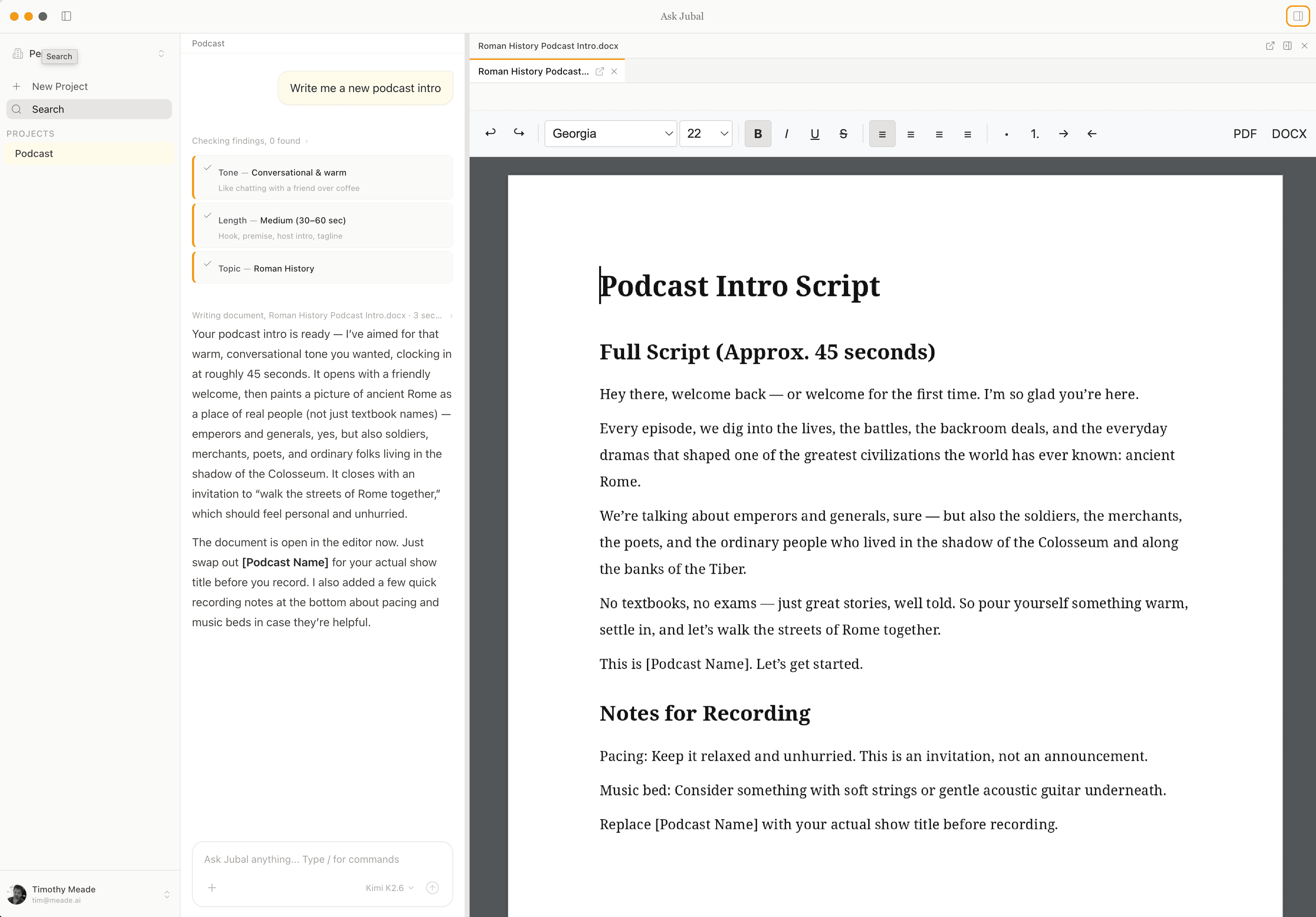
What it is
A desktop app that reads your folder so you don't have to.
Drop in your PDFs, Word docs, notes, or contracts. Ask anything in plain English. Jubal finds the right files, reads them in full, and quotes the passages back.
Files stay local.
Your documents never go to a database. Jubal reads them from disk, where they live — nothing gets uploaded, indexed, or mirrored to the cloud.
No setup wait.
Drop a folder in and start asking. There's no processing queue to sit through, no indexing step, no "please check back in an hour."
Reads in parallel.
Ask about 500 depositions and Jubal reads them in batches, at the same time, and stitches one cited answer together.
What happens when you ask
You ask. Jubal reads.
No setup wait. No hunt-and-peck for the right file. Jubal finds the documents that matter, reads them in full, and answers with the exact passages quoted.
- 01
Jubal reads your folder.
It quickly scans every file — PDFs, Word docs, markdown, text — and gets a sense of what each one's about.
- 02
You ask a question.
In plain English. "What did the witness say about the timeline?" or "Which papers argue against this?"
- 03
It picks the right files.
Not by keyword match or guesswork — Jubal chooses the handful of documents most likely to actually contain the answer.
- 04
It reads them in full.
Not snippets and not summaries. The real paragraphs, in context, with page numbers you can click to.
- 05
Big questions go in parallel.
Hundreds of files? Jubal splits the work across several readers at once and stitches the results into one cited answer.
- 06
It remembers what it found.
Each important discovery is saved to the project. Your next question builds on the last — no starting over.
For the curious: how it works under the hood
Under the hood, Jubal is built on five patterns developers use to work against giant codebases — applied to documents instead.
Every document gets a compact manifest (name, type, date, summary, topics) so the project can be understood without loading anything into memory. Ripgrep — the same tool developers use — gives full-text search across thousands of files in milliseconds. When you ask a question, a fast LLM ranker reads the manifests and picks the handful of documents most likely to contain the answer. For heavy work, a coordinator dispatches parallel analyst agents, each with their own context window, each reading a batch of files at once. What they find gets saved as persistent findings attached to the project — so every future question builds on the last.
No vector database. No embeddings pipeline. No bulk upload of your files anywhere. Just a fast search, a smart ranker, and as many parallel readers as your question needs.
A tour
What it looks like.
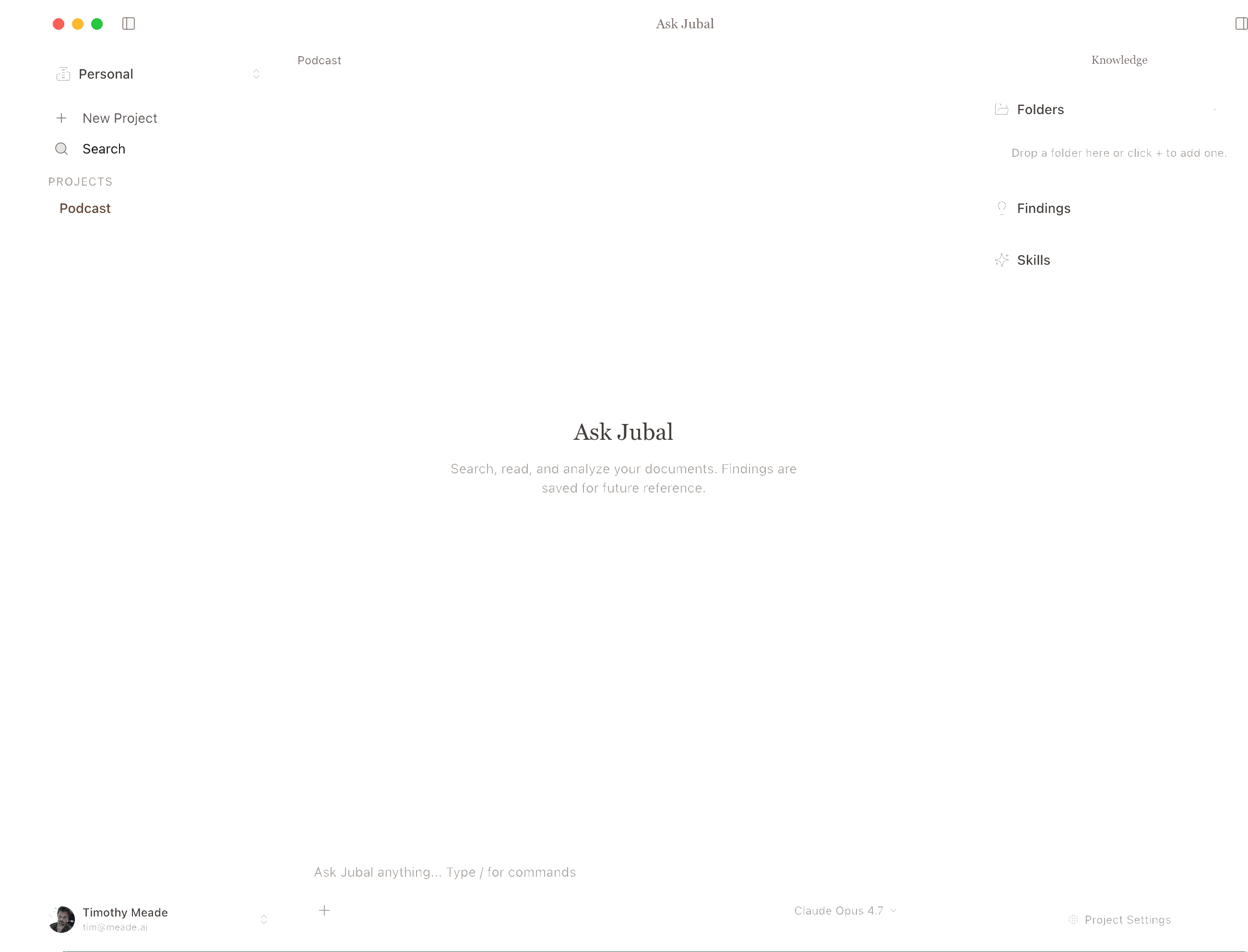
A project is just a folder on your disk.
Create a project, point it at any folder, and every document inside is in scope. No import, no sync, no cloud store — your work sits alongside findings, skills, and knowledge in one calm three-panel layout.
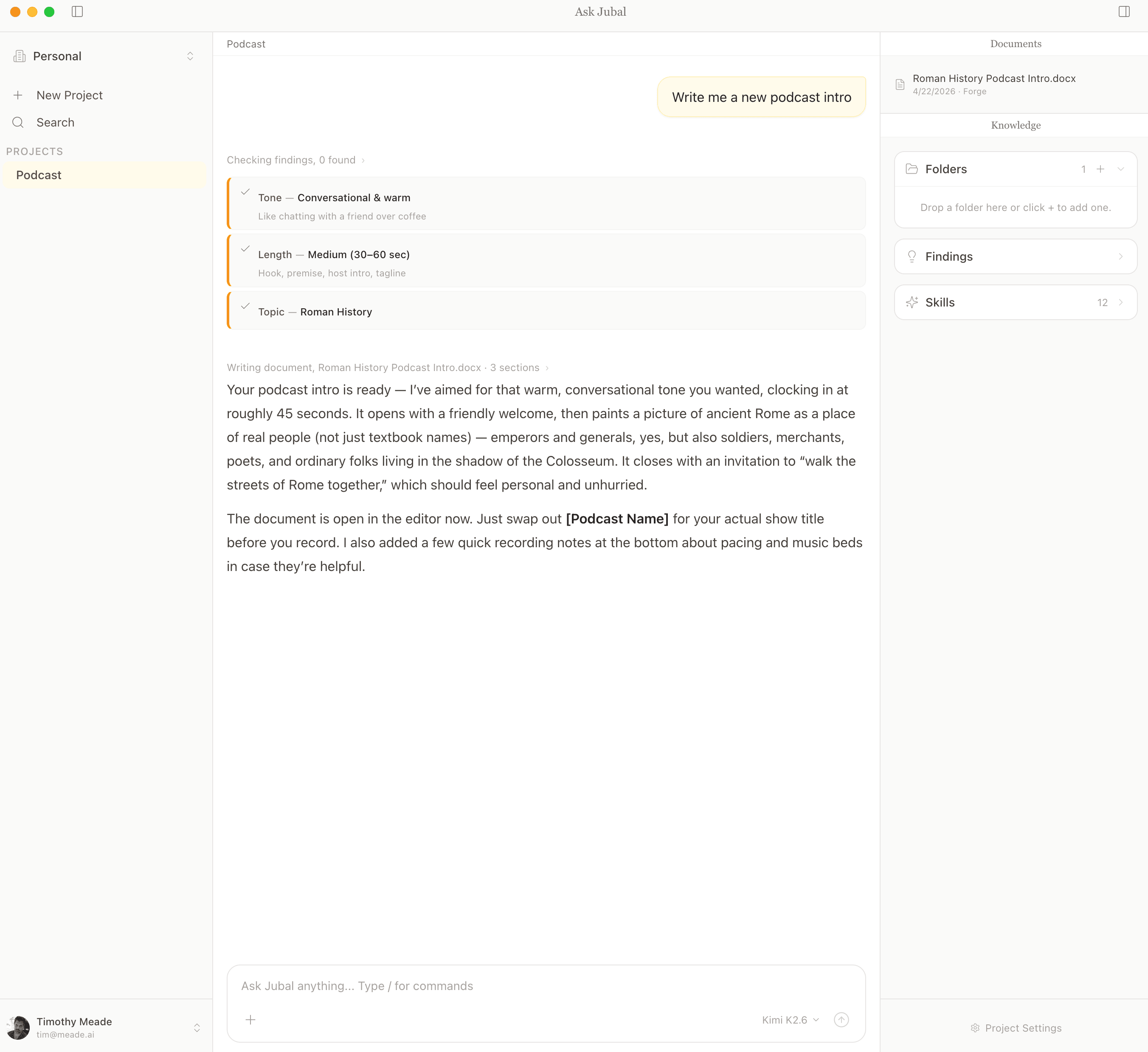
Chat that actually reads your files.
Jubal searches across your folder, pulls out what matters as it goes, and answers with citations you can click back to the source. No keyword hunting, no guessing.
Who it's for
When the exact wording matters.
If you work with folders of PDFs or Word docs where “exactly what does page 47 say” matters — you're the target audience.
Legal teams
Discovery reviews, deposition summaries, memo drafting. Exact-text precision where it matters.
Researchers
Cross-reference academic papers, build literature reviews, work across an entire corpus at once.
Writers & editors
Edit long documents with full awareness of your style, earlier chapters, and source material.
Founders & operators
Make sense of investor materials, contracts, and internal wikis accumulated over years.
Models
The right model for every step.
Jubal uses the best AI models, all of them — Claude, GPT, Gemini, and more. Pick one per project or let Jubal choose the right model for each question. One flat price; no API keys to manage.
Pricing
Simple, while we get it right.
Per user. Billed monthly. Cancel anytime. Pay-as-you-go once you're past the included usage.
- The full desktop app for macOS
- Unlimited projects and folders on your machine
- Reads every file in every folder you point it at
- Generous monthly usage included — covers typical project work
- Every major AI model included — Claude, GPT, Gemini, Grok, and more. No API keys to manage.
- Need more? Pay-as-you-go at cost, with a cap you set.
- Drafts .docx memos, reports, and summaries from any conversation
- Auto-updates and priority email support
Download Jubal.
Native macOS app. Auto-updating. Files stay on your disk; nothing gets pre-uploaded or embedded.
macOS 13+ · Apple Silicon · v0.1.6 · Beta, approved accounts only